Carson, CA 90745-7962
Tele: (310) 952-0657
Fax: (310) 952-5468
Info@intusoft.com
ICAP/4 Version 8.x.11 Build 3247
Compatible
with all 32bit and 64bit Windows
Including
Vista!
|
Carson, CA 90745-7962 Tele: (310) 952-0657 Fax: (310) 952-5468 Info@intusoft.com |
ICAP/4 Version 8.x.11 Build 3247 Compatible
with all 32bit and 64bit Windows |
|
|
Web Download Option: If you are currently on maintenance, you can also obtain this update via the web. Simply go to http://www.intusoft.com/support.htm and enter your serial number to obtain this update. Your serial number is on the “Installation Letter” that came with your initial purchase. You can also find your serial number from the Help pulldown, “About SpiceNet,” then the “User Tab” dialog within the Schematic program. (Note that the ICAP/4Consumer package does not offer maintenance.) Should you have any questions about the status of your maintenance program, please contact Intusoft at (310) 952-0657. |
|
New Features and Enhancements |
|
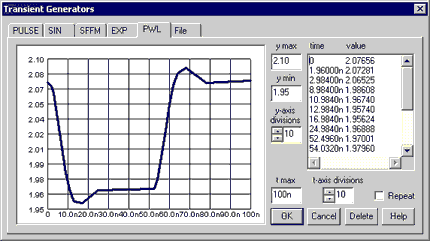
Control Transient Generator's PWL Data Points Graphically: Instead of typing time value pairs to define your PWL waveform, you can now click on a graph to place data points. Draw a bounding box around any data points, then drag and drop the bounding box to move the selected data points, or press the backspace key to delete them. The PWL tab supports undo <ctrl>+z and redo <shift>+<ctrl>+z until the waveform is back to the state it was when you selected the PWL tab.
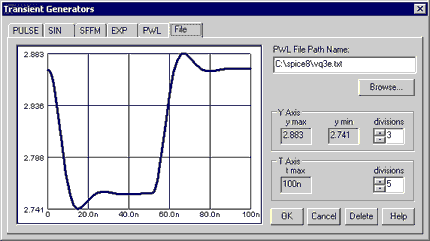
Link to PWL .TXT
File: The advantage of this File Tab over the PWL
|
Quickly
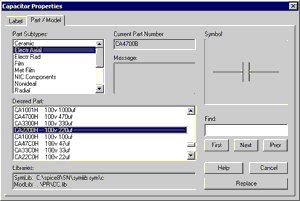
Convert Placed Parts: For supported part types a "Part / Model"
tab has been added to the Part Properties dialog that lists all available
Pspice
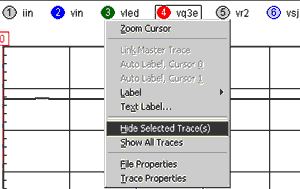
to IsSpice4 Converter Improved: Based on user feedback we Legend
Distinguishes Selected Waveforms and Hides Multiple
Four Parameters Added to IsSpice4’s Diode Model for Pspice Compatibility: TRS1, "1st order RS temperature coefficient" TRS2, "2nd order RS temperature coefficient" TBV1, "1st order BV temperature coefficient" TBV2, "2nd order BV temperature coefficient" SpiceNet’s
Simulation Control Vector and Fault tabs Improved: |
||||
|
Keep your
Maintenance Current to Receive Tech Support and the Next ICAP/4 Release!
|
|||||